What’s New?
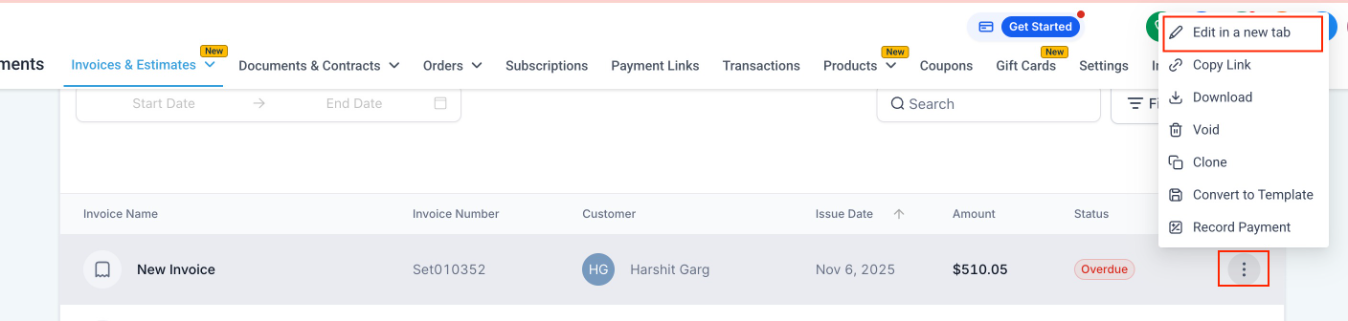
View/Edit Invoices in a New Tab: You can now open any invoice/estimate in a separate browser tab directly from the 3-dot menu. No more losing your place in the invoice list while editing.
How to Use?
- Go to Payments → Invoices & Estimates
- Click on the 3-dot menu beside any invoice or estimate
- Select “Edit in a new tab”
- Invoice opens in a separate tab - view/edit freely while keeping the list intact
Why We Built It?
- Helps users who manage multiple invoices at the same time
- Prevents losing filters, search, or scroll position
- Makes bulk review and editing much faster
Was this article helpful?
That’s Great!
Thank you for your feedback
Sorry! We couldn't be helpful
Thank you for your feedback
Feedback sent
We appreciate your effort and will try to fix the article